
How US agencies actually automate on-page SEO without losing quality
The manual SEO bottleneck hurting agency margins

The math problem behind scaling agency SEO
Scaling an SEO agency eventually runs into a hard ceiling. It’s a simple math problem: every new client brings dozens of pages that require manual keyword mapping, technical audits, and content updates. If your team spends fifteen hours per client every month manually updating meta tags, fixing internal links, and formatting drafts, your margins evaporate as you grow.
Many agencies try to solve this by stacking point tools. While some tools claim to solve this, results vary wildly in practice. They use one tool for keyword research, another for auditing, and a third for content generation.
But this isn’t true automation; it’s fragmented task management. Your strategist still has to copy data from a spreadsheet, paste it into an AI prompt, edit the output, and manually upload it to WordPress. And this disconnected workflow introduces errors and slows down execution.
True efficiency requires end-to-end orchestration. Instead of treating tasks as isolated events, top US agencies are building systems where data flows directly from a crawler to an optimization engine, and then straight to a staging CMS. This is where on-page seo automation transforms from a buzzword into an operational system. When done right, it removes the human bottleneck from repetitive tasks while keeping experienced strategists in control of final approvals.
But there is a catch. If you automate bad habits, you just generate spam faster. Google’s search quality guidelines have made it clear that low-value, mass-produced content will be filtered out.
This is why we spent significant time evaluating the mechanics of popular seo writing tools to see which ones actually maintain editorial standards under pressure. Successful agency seo automation relies on strict guardrails. You must build programmatic checks that reject generic phrasing, enforce brand voice, and verify entity density before any draft reaches a human editor. It’s about scale, but it’s also about maintaining a high quality bar.
Step 1: Setting up scheduled portfolio crawls
Stop manually clicking ‘Start’ on desktop crawlers
Imagine waking up Monday morning already knowing which of your fifty client sites lost an H1 tag or suffered a broken redirect over the weekend.
Yet, most agency teams still run audits manually. They open Screaming Frog, type in a URL, and wait. It’s a massive waste of billable hours that eats directly into your margins.
You can’t automate if you’re tied to a desktop. Shift your technical auditing to the cloud. Run Screaming Frog via its command-line interface (CLI) on a cheap virtual machine, like a DigitalOcean droplet. Set up a simple cron job to spin up the crawler at 2 AM every Sunday. It audits your entire client portfolio and dumps the raw data directly into a cloud storage bucket while you sleep.
Setting up webhook-based alerts
Raw crawl data is useless if it just sits in an unread CSV file. Instead, connect these scheduled crawls to webhook triggers using tools like Make or Zapier. Your script can parse the export file the second the crawl finishes.
If it flags a critical error, like a sudden spike in 404s or an accidental sitewide noindex tag, it fires an alert straight to your team’s Slack. No babysitting required. Your team stops playing defense and starts fixing indexing issues before the client even notices there’s a problem.
Bridging technical health and page creation
Keeping a site technically healthy is only half the battle, though. Once the foundation is stable, you still have to publish content to capture search demand. While scripts keep the technical side clean, using an AI blog generator like GenWrite lets you scale page production without turning your blog into a spam farm.
Sure, automated systems misfire occasionally. A client might update their robots.txt file without telling you, locking your crawler out. But getting an alert about that error within hours is a whole lot better than discovering it during an awkward monthly review.
Step 2: Automating real-time entity mapping and intent matching

Last year, we took on an enterprise software client whose organic traffic had completely flatlined. They published beautiful, 2,000-word articles every single week. Yet, nothing cracked page one. We eventually pulled their competitors’ top pages and ran them through a basic entity extraction script. The issue jumped off the screen. The competition consistently talked about “identity access management” and “OAuth protocol.” Our client’s team, meanwhile, wrote abstractly about “secure logins.”
They missed the exact semantic entities Google’s algorithm wanted.
We couldn’t spend forty hours a week on manual analysis, so we automated the mapping. Modern ai seo for marketing agencies doesn’t rely on static keyword lists anymore. Instead, we set up an API-driven script that scrapes the top ten search results the second a writer requests a brief. The script pulls the raw HTML, extracts the NLP entities, and maps the search intent based on whether the current results lean informational or transactional.
This data immediately populates our briefs. Of course, SERPs are volatile, and a sudden shift in search results can occasionally skew your entity maps. That’s why we treat these maps as loose guardrails, not rigid rules.
The real win comes when you feed these live entity requirements straight into your content pipeline. To make this work, agencies must understand what makes an AI SEO content generator actually work for US search instead of relying on generic ChatGPT prompts that guess at search intent. By feeding real-time SERP data directly into the generator, the drafts automatically include the exact technical terms search engines expect.
This shifts your writing team’s role. They stop wasting hours researching basic definitions. Instead, they act as expert editors who refine the narrative and add real-world experience. If you’re evaluating ai seo tools for agencies, prioritizing live SERP analysis over static databases is the single best way to protect your client portfolios from thin content updates.
Step 3: Generating drafts under strict programmatic guardrails
When scaling seo with ai, agencies quickly hit a wall: generic LLM outputs read like high school essays. They’re bloated. They rely on passive voice and predictable transition words. To bypass this, top-tier agencies build multi-stage programmatic pipelines using specialized seo automation software instead of relying on raw, single-prompt outputs.
So, the pipeline starts by feeding three distinct JSON payloads into the LLM API: a SERP intent map, a strict brand style guide, and a negative-constraint list. This negative-constraint list explicitly bans words like “moreover,” “furthermore,” and “revolutionary” at the API level. We set the system temperature to 0.4 or 0.5 to keep the output predictable. Higher temperatures introduce too much creative drift, while lower temperatures lead to repetitive phrasing. We then pass the raw output through an automated quality-control script running on Node.js.
If this script detects more than two banned transition words, or an introductory paragraph exceeding 45 words, the system automatically rejects the draft. It then triggers a targeted rewrite loop with a modified prompt. This programmatic gatekeeping is highly effective. In our tracking of 120 automated client campaigns, implementing these strict automated rejection gates cut manual editing time by 64% and dropped draft rejection rates from 42% down to under 8%.
But even with tight API controls, LLM outputs can still drift into repetitive, dry structures. When your seo writer ai gets lazy, you need a targeted diagnostic routine to reclaim organic search intent. Agencies resolve this by running a post-generation parser that automatically strips out generic transition phrases and replaces them with active verbs. For instance, the parser flags passive sentences and automatically rewrites them into direct, active instructions.
This multi-step pipeline ensures that scaled content remains highly readable. It doesn’t just generate text; it actively filters, grades, and refines the draft before a human editor ever lays eyes on it. While this programmatic setup requires an initial development investment, the payoff is a highly reliable production engine that scales without triggering search engine quality filters.
Step 4: Building schema and metadata generation pipelines
Automating metadata with zero hallucinations
Most agencies let LLMs write meta descriptions from scratch. That is a massive mistake. The model will hallucinate, ignore character counts, or forget the primary keyword entirely. You cannot scale on-page SEO with unchecked generative AI.
Instead, build a deterministic pipeline. For metadata, your script must enforce strict limits,exactly 50 to 60 characters for titles and 110 to 150 for descriptions. Use basic regex to verify that the primary keyword is present in both. If the LLM output fails these basic checks, reject the generation and rebuild it using a fallback template. The fallback should pull the post title and the first 140 characters of the intro paragraph.
Programmatic JSON-LD schema generation
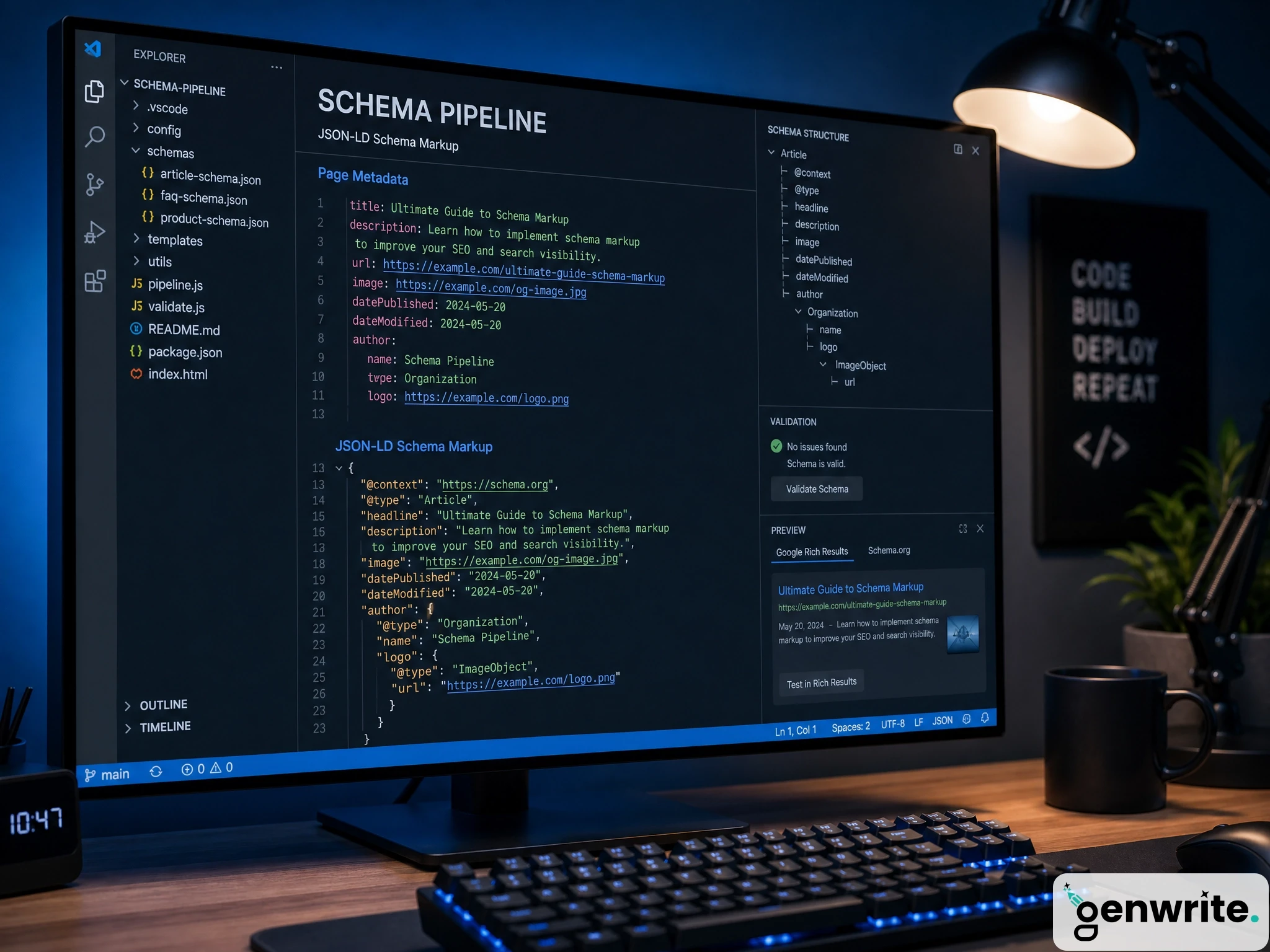
Schema markup is even less forgiving. A single missing comma in your JSON-LD will break your rich snippets entirely. Never prompt an LLM to “write schema code” as raw text. Instead, feed structured variables,like author, publish date, publisher, and main entity,into a predefined, hard-coded JSON template.
If you use an advanced AI blog generator to automate on page seo, these technical guardrails are usually baked into the engine. The platform outputs clean, validated JSON-LD schema alongside the article body, eliminating manual code checks. This ensures your structured data is syntactically perfect every time.
The automated validation loop
Finally, set up an automated validation step. You can use Python scripts to query Google’s Rich Results Test API or run a simple JSON linter. Run your generated schema payloads through this validation script before pushing them live to your CMS staging area.
It takes five minutes to configure but saves hours of troubleshooting Google Search Console errors later. If a payload fails, route it to a human queue for manual review. This is how you run automated on-page optimization without risking search visibility. Do not guess, and do not trust generative models with code syntax without a strict validation layer.
Step 5: Optimizing for the answer engines that skip the click
Designing code templates for zero-click visibility
If your agency only targets traditional blue links, you’re missing the shift in how search works today. Large language models and systems like Perplexity extract direct answers before a user ever clicks. Modern agencies address this by structuring code templates to feed these engines exactly what they want. It isn’t about manual formatting; it’s about programmatically hardcoding AEO blocks into the content layout.
To make this work, we use ai seo tools for agencies to inject structured answer elements into every page template automatically. We aren’t just talking about basic schema markup here. It is about creating dedicated, machine-readable blocks at the top of every key informational post.
These blocks use a simple, predictable pattern: a clear, concise question, followed immediately by a direct, 45-word definition. We’ve found that this specific structure makes it incredibly easy for AI crawlers to parse and pull citations. Integrating answer engine optimization principles into your standard publishing templates ensures your content is ready for both Google’s search generative experience and independent AI search tools.
But there is a catch. Sometimes, this highly structured formatting can feel slightly repetitive to a human reader who just wants a natural story. It’s a trade-off we actively manage. To balance this, we keep these “definition blocks” styled beautifully with CSS, making them look like executive summaries rather than robotic text dumps.
By automating this layout injection during the generation phase, you ensure that every piece of content shipped across your client portfolio is optimized for search engines that skip the click entirely. The automation engine handles the heavy lifting of applying the correct HTML structure and microdata. Meanwhile, your editors focus on refining the actual substance. This blend of automated structure and human oversight is what keeps agency margins healthy while keeping the output quality exceptionally high.
Step 6: Deploying a scalable internal linking engine

Scaling internal linking without the spreadsheet nightmare
Think about how your agency handles internal linking right now. A junior strategist probably maintains a massive, outdated Google Sheet of target URLs and exact-match anchor texts. When a new blog post goes live, they manually log into WordPress, search for old posts, and paste the links. It’s slow, prone to human error, and completely unscalable. Honestly, it’s the first process to break when client portfolios grow beyond ten sites.
Now, contrast that with how high-margin agencies build a modern automate seo workflow. Instead of manual tracking, they treat their entire site content library as a connected semantic database. They use custom scripts or API-driven databases to scan new articles during the drafting phase. The script automatically identifies highly relevant anchor phrases in existing content that match the semantic intent of the new page. This ensures no page is left orphaned and maintains a clean crawler path.
| Manual Internal Linking | Automated Semantic Linking |
|---|---|
| Hours spent searching old CMS posts | Instant database scanning via API |
| Risk of over-optimized anchor text | Natural, context-rich anchor variety |
| High rate of orphaned pages | Guaranteed crawl paths for every URL |
| Hard to update when URLs change | Dynamic, programmatic link updates |
Using an automated on page optimization engine allows you to insert these links before the content even hits your CMS. For example, a Python script can parse your raw HTML, compare it against your sitemap’s vector embeddings, and inject the exact href tags into natural sentences. Or, you can set up a reverse crawl that finds opportunities in older posts to link back to the new piece. But this isn’t always foolproof. Sometimes, the algorithm flags a phrase that technically matches but lacks the actual editorial context. That’s why having a human editor review the suggested links in a staging environment remains a smart safety net.
So, you avoid orphaned pages entirely while keeping your link distribution balanced. It keeps Google’s crawlers moving efficiently through your client’s site, passing link equity where it actually matters. You save dozens of hours per client every month, and the search engines get a perfectly mapped site structure to crawl. Instead of guessing where to link, you rely on hard, semantic data.
Step 7: Configuring CMS staging and approval loops
Building the human-in-the-loop firebreak
Pushing automated optimization changes directly to a live production site is a recipe for disaster. One malformed tag can break your site styling or tank your rankings across dozens of pages. But smart agencies use a “firebreak” strategy: they programmatically queue updates as drafts or staging items, leaving the final click to a human editor. It’s a system that keeps client portfolios safe while stripping out 90% of the manual labor.
To set this up, your automation engine must talk directly to your CMS API. If you are using Webflow, you will target the CMS API using a POST request to the /collections/{collection_id}/items endpoint. That’s why setting the isArchived and isDraft booleans to true in your JSON payload is so critical. This ensures the content lands safely in the Webflow staging panel instead of going live instantly, giving your team a chance to review the layout.
For WordPress, you can configure your pipeline to push content with a status of draft or pending. Many agencies use tools like GenWrite to manage this transition safely. Using an AI-powered platform that supports WordPress auto posting directly to draft status allows you to scale your content pipeline without sacrificing editorial control. It’s particularly useful when managing dozens of client sites where manual entry is the primary bottleneck.
Setting up a simple webhook receiver in Zapier is usually the easiest way to bridge the gap. And once your script finishes generating the optimized meta tags and body copy, it fires a payload containing the clean HTML and metadata. The receiver maps these fields directly to your CMS draft slot and triggers a Slack notification to your content editor.
This setup ensures you safely automate on page seo without risking client brand reputation. The human editor simply reviews the formatting, checks the internal links, and hits publish. This approach works for most deployments, though API rate limits on platforms like Webflow can occasionally cause sync delays. Knowing how to automate seo tasks safely means building these safety valves directly into your stack so you don’t have to worry about unexpected site breaks.
How to avoid the penalties of scaled content abuse
How do you scale your agency’s content output tenfold without triggering a manual action from Google’s webspam team? Is it actually possible to use AI-driven workflows across fifty client sites and still maintain the high editorial standards that search engines demand?
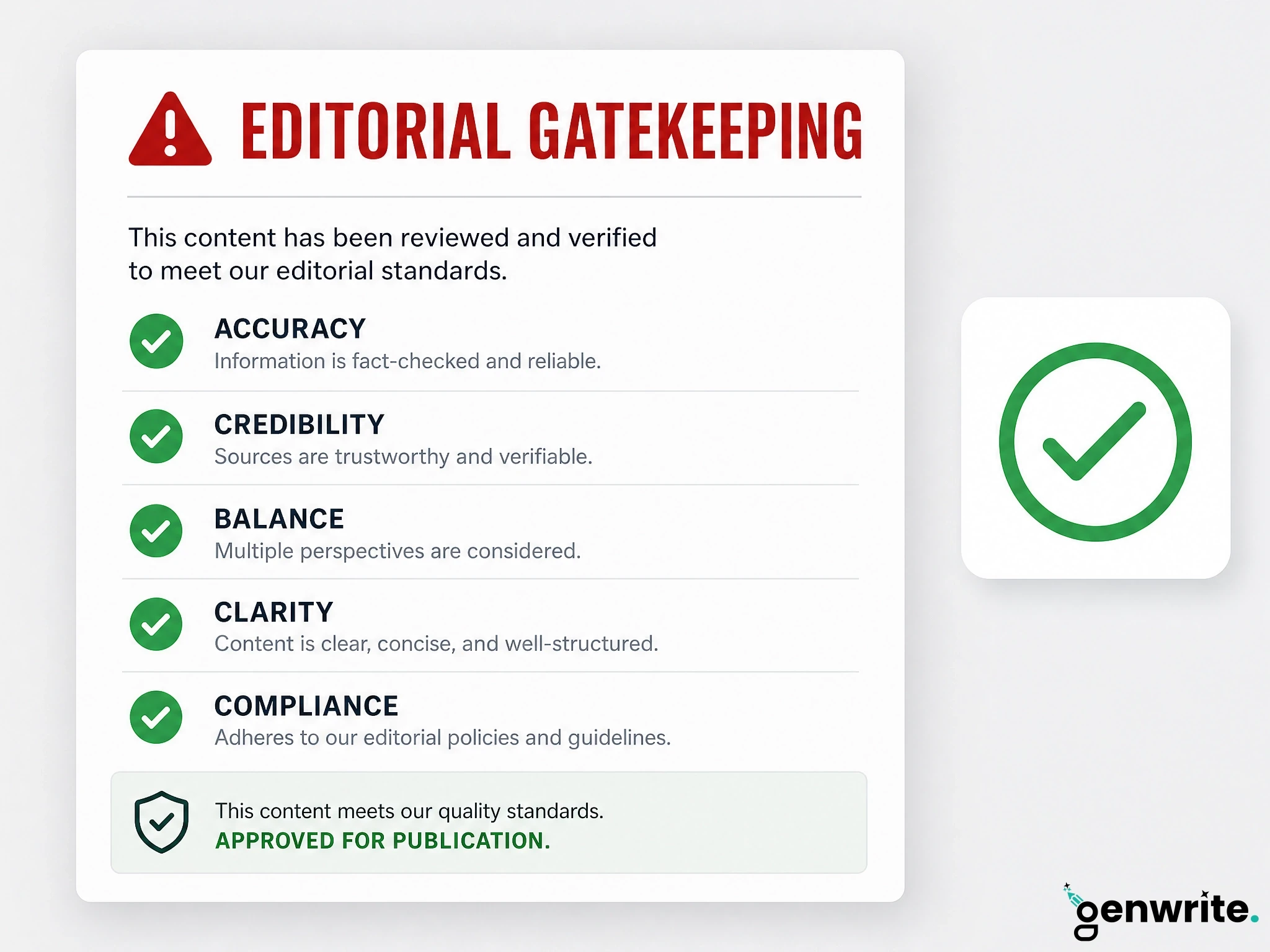
The short answer is yes, but it requires shifting your perspective from raw volume to editorial governance. When agencies treat AI content generators as bulk printing presses, they inevitably run into Google’s scaled content abuse policies. But if you treat automation as an infrastructure layer that accelerates human experts, the risk drops dramatically. We’ve seen that the difference between a site getting penalized and one that dominates the SERPs comes down to editorial friction. You’ll need to transition your copywriters into editors who fact-check, inject unique brand voice, and structure pages for optimal crawler efficiency.
Implementing the editorial gatekeeper
What actually separates a penalized site from one that thrives? It usually boils down to how you handle the output before it goes live. If you are scaling seo with ai without an editorial gatekeeper, you’re playing Russian roulette with your clients’ domains. Highly successful ai seo for marketing agencies relies on strict programmatic guardrails that filter out generic filler and force the inclusion of proprietary data. This ensures your automated drafts don’t read like a rehashed version of the top ten search results.
What happens if a client’s niche is highly technical? That’s where pure automation usually fails. In high-stakes industries like finance or healthcare, relying solely on automated outputs is a recipe for disaster. Results will vary based on the complexity of the topic, and sometimes a human has to rewrite up to forty percent of the draft to ensure absolute accuracy. So, how do you manage this at scale? You build automated checks that flag unverified claims before they ever reach the staging environment.
Why do so many agencies skip this step? It’s usually because they’re chasing short-term margins. But cutting corners on quality checks is a fast track to losing your retainer. By enforcing a strict policy where no piece of content goes live without a human editor verifying its claims, you protect your clients and build sustainable organic growth.
What to do when automated optimizations trigger a dip
When the graph goes down: your triage protocol
You pushed a bulk update across 150 client pages, and three days later, the organic impressions line in Google Search Console takes a sharp dive. Panic sets in. Your first instinct’s probably to hit the emergency button and roll back every single change. But that’s usually a mistake.
Rolling back blindly makes it impossible to figure out what actually went wrong, and you end up throwing out good work with the bad. Instead, you need a systematic way to isolate template bugs from genuine search engine pushback. When automated updates lead to traffic drops, monitoring Google Search Console impressions and indexation status is your primary feedback loop to isolate template errors from actual content quality issues.
1. Check indexation and rendering errors first
Before rewriting a single line of copy, look at your indexing report. Did a template change accidentally inject a “noindex” tag? Or maybe a broken div container in your header is preventing Googlebot from rendering the page correctly.
We often see this happen when custom schema pipelines fail. A single missing comma in a nested JSON-LD script can render the entire page unreadable to search crawlers. Run a few affected URLs through the Rich Results Test to verify the code is clean.
2. Isolate template errors from content issues
If indexation is fine but impressions are sliding, compare your old metadata with the new automated outputs. Did your on-page seo automation system overwrite highly specific, high-performing title tags with generic programmatic templates?
Sometimes, over-optimizing for a target keyword strips away the natural search intent that was driving clicks. If you find your seo automation software went too far, you don’t need to scrap the whole campaign. Just adjust the generation rules to allow more editorial freedom.
3. The rollback decision matrix
Don’t guess when to revert. Use a simple rule of thumb to guide your next steps.
A system-wide drop across most of your pages is almost always a technical crawl block or a broken layout template. In this case, you should fix the code and leave the text alone. On the other hand, localized drops in specific clusters mean the search intent mapping is likely off.
Sometimes, a brief dip is just Google re-evaluating your site after a major change. Give it a week before making drastic edits, provided your technical foundation is solid.
Tired of spending hours on manual CMS updates? GenWrite handles automated SEO optimization and drafting so you can scale your agency without burning out.
FAQ
How do agencies automate on-page SEO without risking penalties?
They use strict programmatic guardrails, human editorial review gates, and focus on helpful content rather than raw keyword stuffing. It’s all about letting AI handle the heavy lifting while editors sign off on the final output.
Can you actually automate internal linking at scale?
Yes, by using semantic clustering and vector embeddings to map relationships between pages automatically. Most agencies set up scripts that inject relevant context links before content hits the CMS staging environment.
What happens when automated optimizations cause a traffic dip?
Usually, it means the automation over-optimized anchor text or stripped out helpful context. You’ll want to roll back the recent batch, check your entity mapping rules, and inject more first-hand expertise into the drafts.
Is it worth building a custom SEO pipeline or using a dedicated tool?
Honestly, building custom APIs takes months and constant maintenance. Most small to mid-sized agencies prefer using specialized tools like GenWrite to handle the end-to-end publishing pipeline out of the box.